


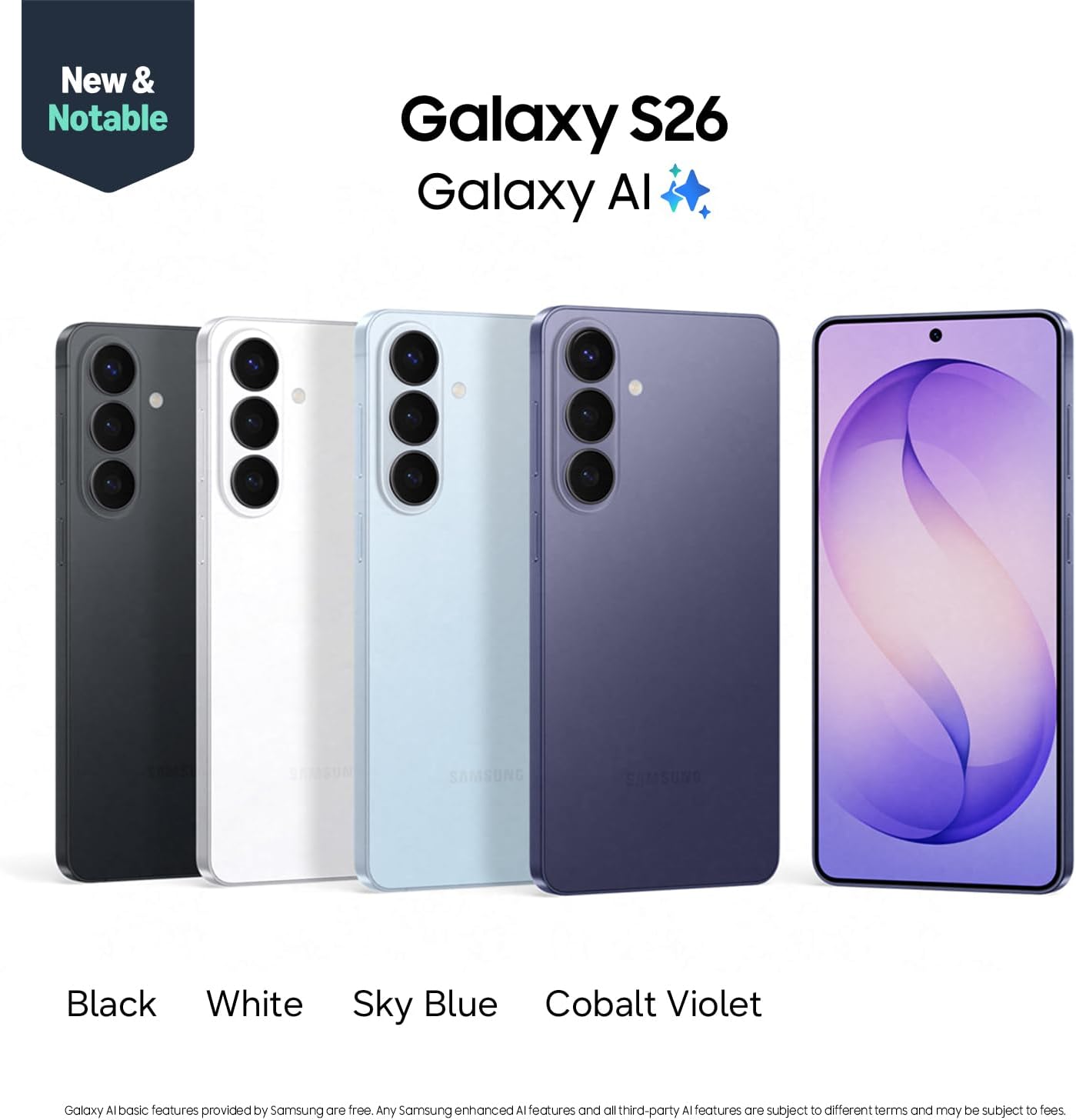










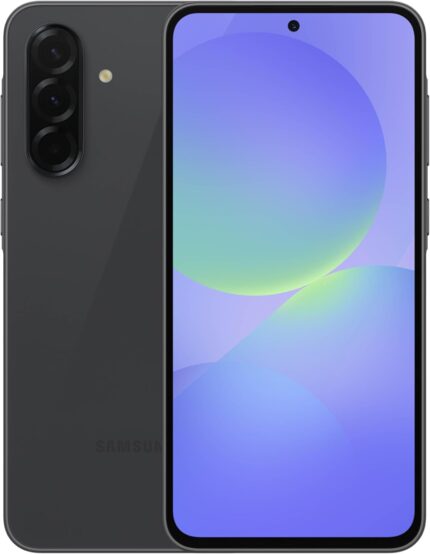
Samsung Galaxy S26, Unlocked Android Smartphone, 256GB, Powerful Processor, Galaxy AI, Immersive Viewing, Durable Battery, 2026, US 1 Year Warranty, Cobalt Violet
Original price was: $899.99.$799.99Current price is: $799.99.
| Operating System |
Android 16, One UI 8.5 |
|---|---|
| RAM Memory Installed |
12 GB |
| Memory Storage Capacity |
256 GB |
| Color |
Cobalt Violet |
| SIM Card Slot Count |
Single SIM |
| Connector Type |
USB Type C |
| Form Factor |
Bar |
| Biometric Security Feature |
Fingerprint Recognition |
| Human-Interface Input |
Buttons, Microphone, Touchscreen |
| Sim Card Size |
Nano |
| Water Resistance Level |
Water Resistant |
| Headphones Jack |
USB-C |
| Compatible Devices |
Android, NFC, Samsung, Universal Bluetooth, Wifi |
| Additional Features |
Always On Display, Built-In GPS, Fast Charging Support, Reverse Wireless Charging, Wireless Charging |
| Front Photo Sensor Resolution |
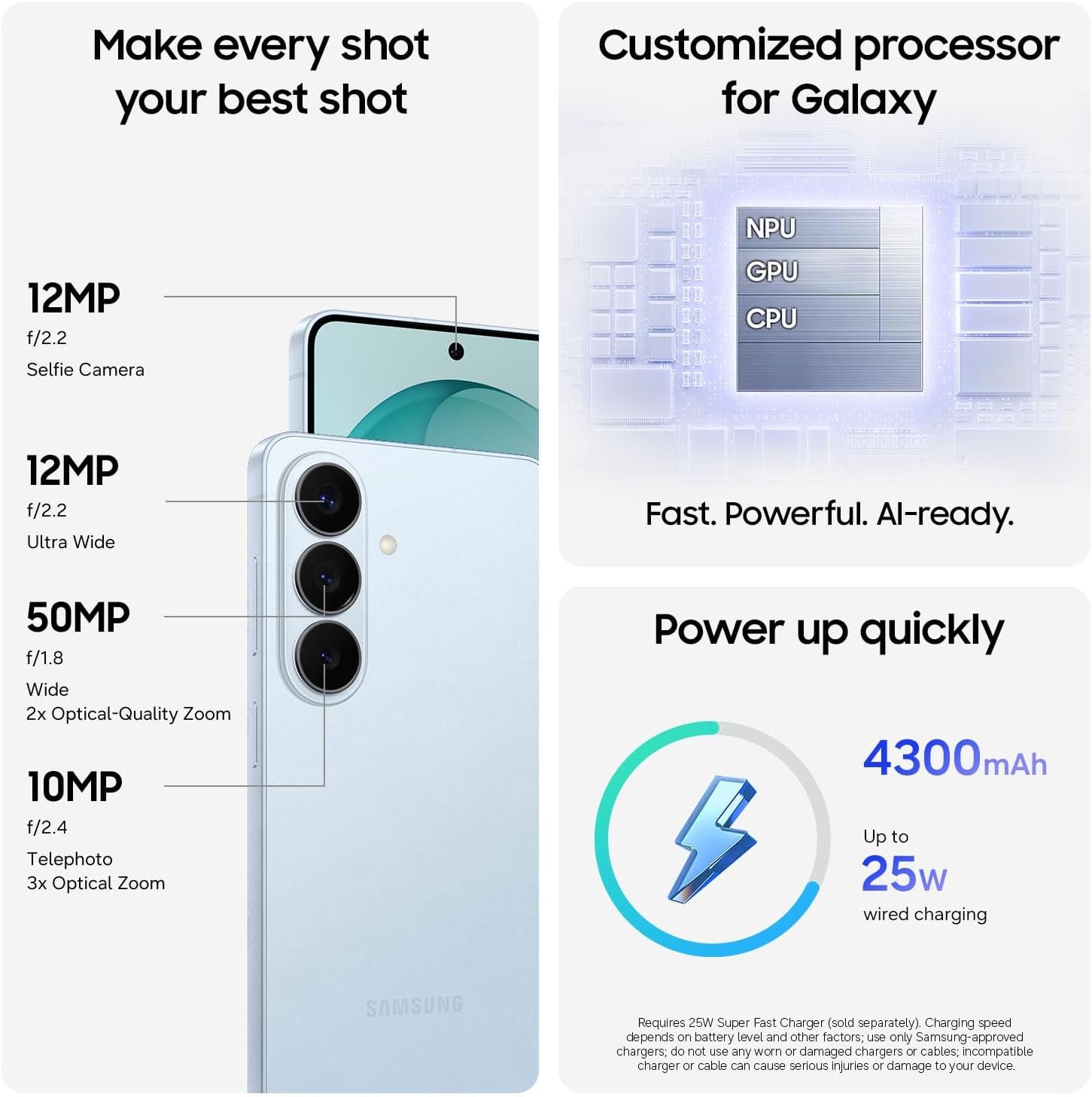
12 MP |
| Rear Facing Camera Photo Sensor Resolution |
10.0, 12.0, 50.0 MP |
| Camera Description |
Front, Rear |
| Number of Rear Facing Cameras |
3 |
| Battery Capacity |
4300 Milliamp Hours |
| Battery Power |
4300 Milliamp Hours |
| GPS Geotagging Functionality |
True |
| Screen Size |
6.3 Inches |
| Refresh Rate |
120 |
| Display Type |
AMOLED |
| Wireless Provider |
Unlocked for All Carriers |
| Cellular Technology |
5G |
| Connectivity Technology |
5G, Bluetooth, NFC, USB, Wi-Fi |
| Wireless Network Technology |
CDMA, GSM, LTE |
| Brand |
Samsung |
| Model Year |
2026 |
| Built-In Media |
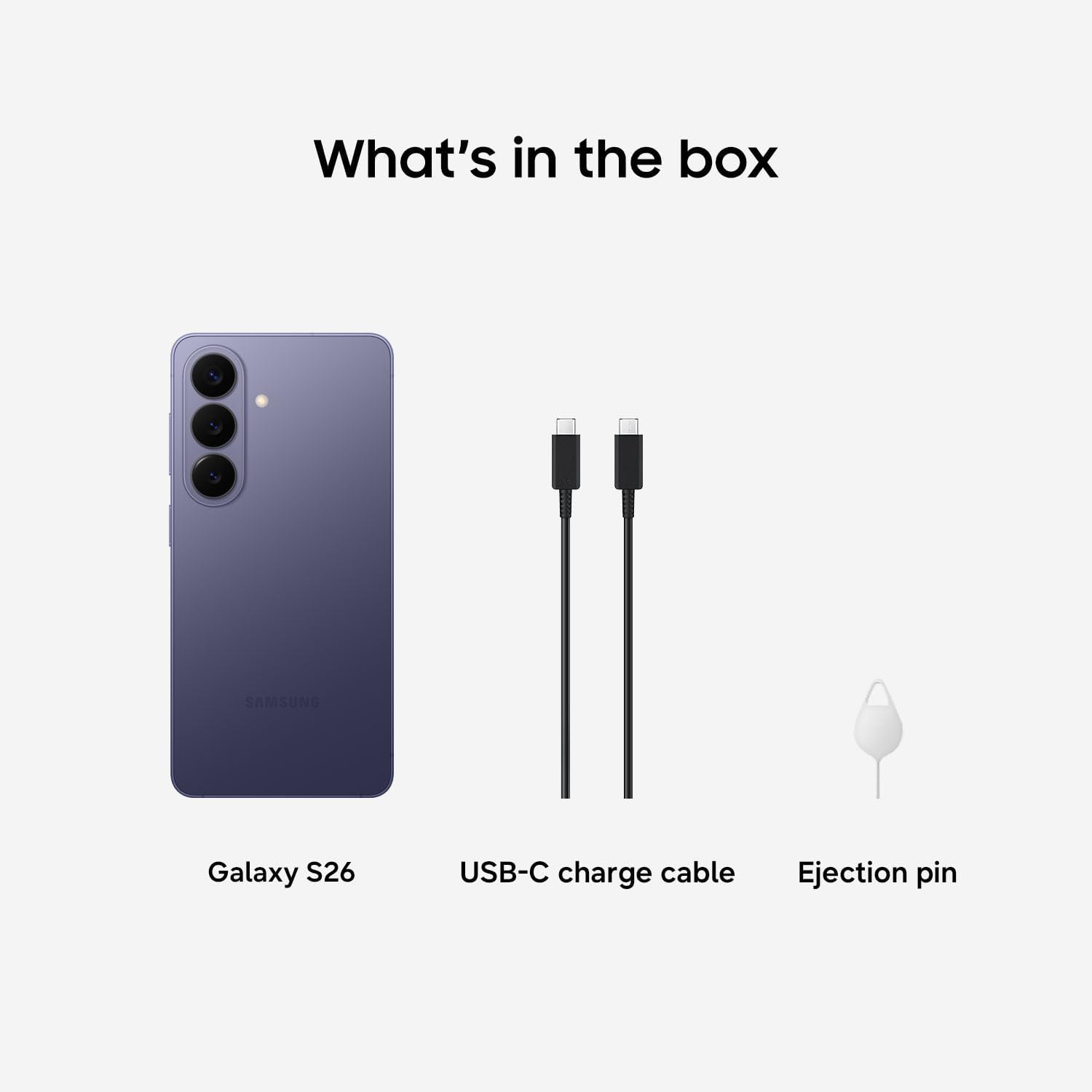
Galaxy S26, Quick Start Guide, SIM Tray Ejector, USB Cable |
| Manufacturer |
Samsung |
| UPC |
198957241048 |
| Warranty Description |
1 Year Manufacturer |
| ASIN |
B0G4SXD3TJ |
| Item Dimensions |
5.89 x 2.82 x 0.28 inches |
| Effective Video Resolution |
1.77 Pixels |
Price: $899.99 - $799.99
(as of Apr 23, 2026 14:42:21 UTC – Details)
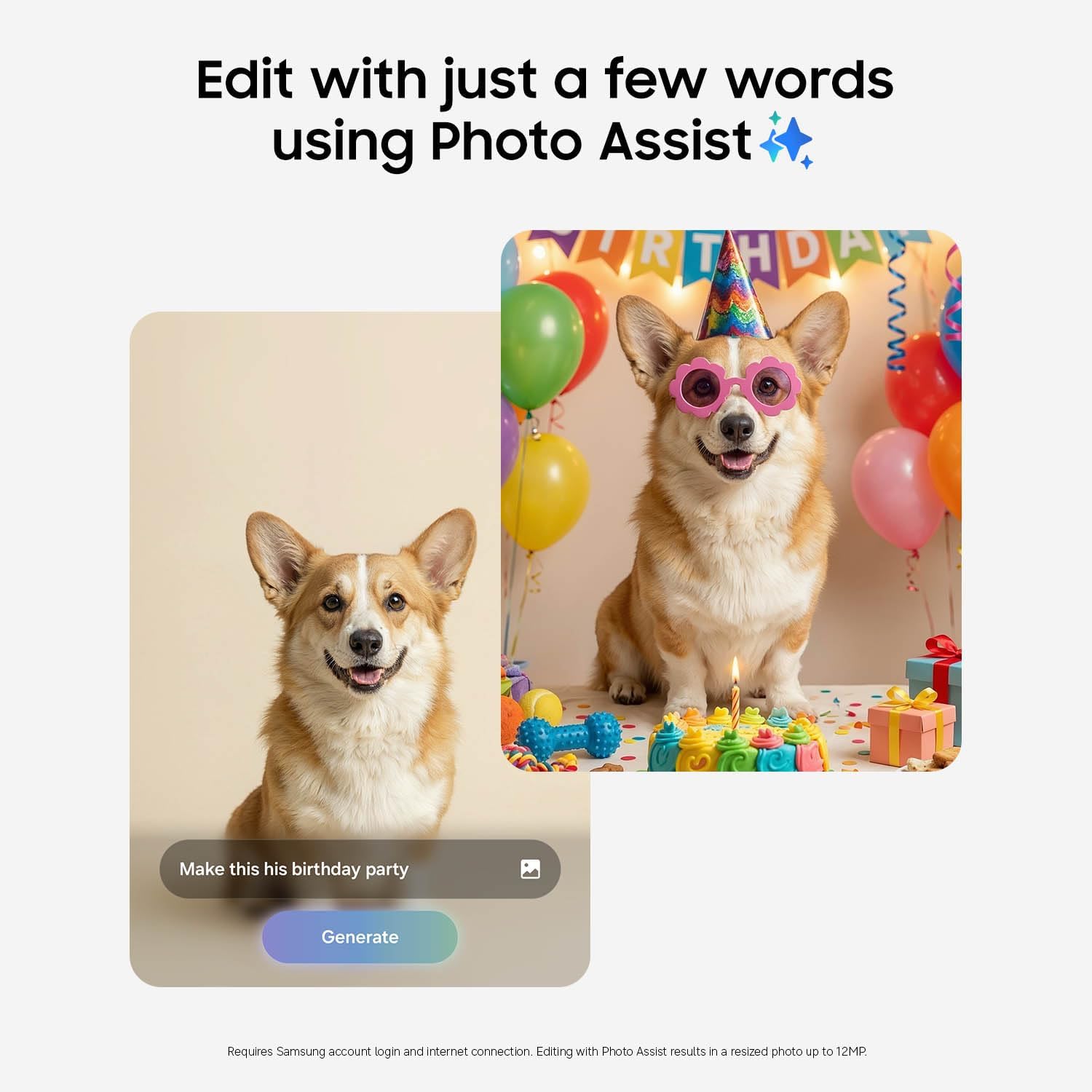
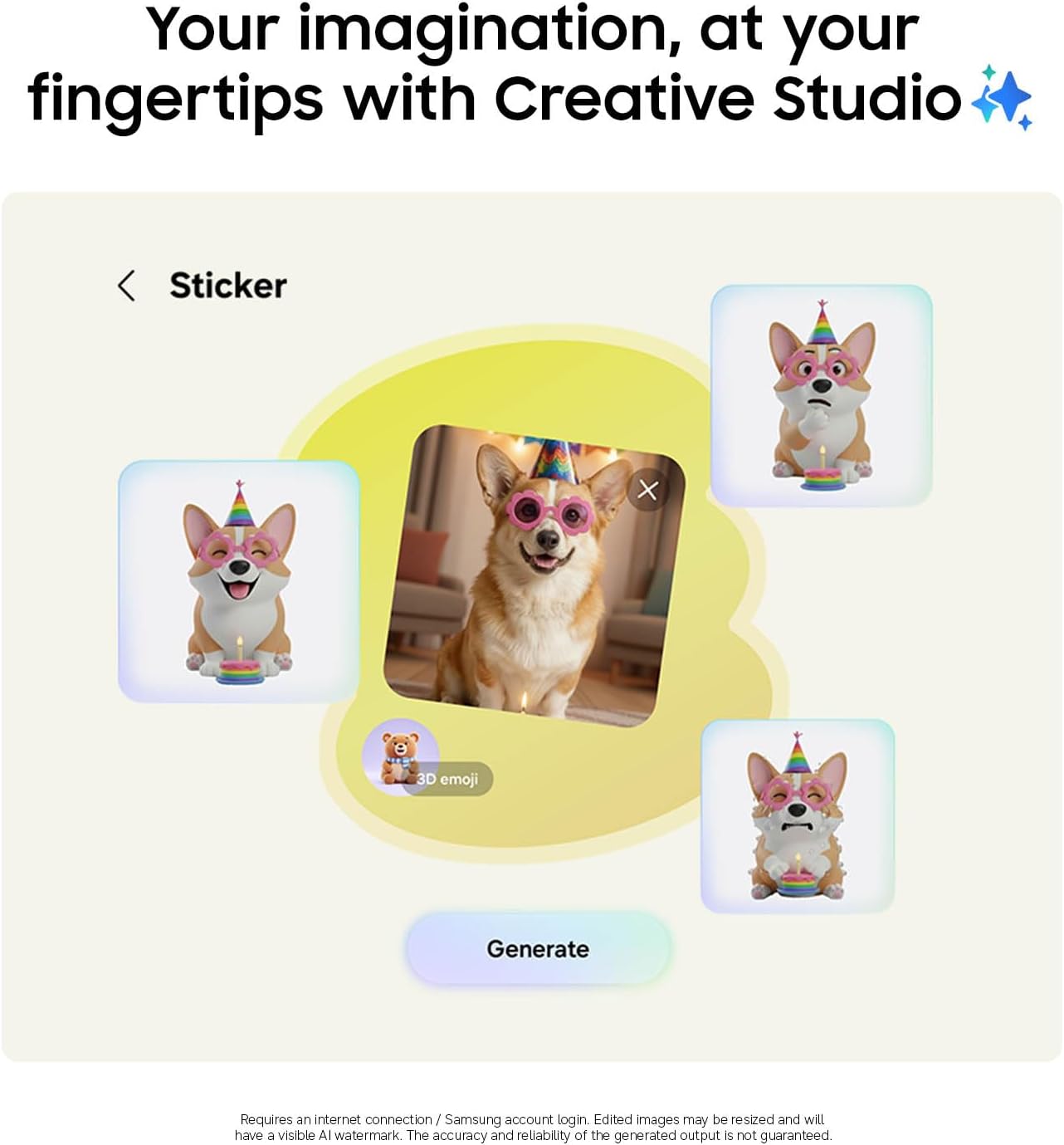
Galaxy S26 automates your life with the power of Galaxy AI.² Photo Assist¹ magically edits photos in seconds. It fills in missing elements and naturally blends objects with existing lighting and shadows. If you’re looking to easily generate playful illustrations and 3D cartoons for custom wallpapers, stickers, and more³, the Creative Studio brings your ideas to life. Making all this possible is our fastest, smoothest and most powerful processor yet.
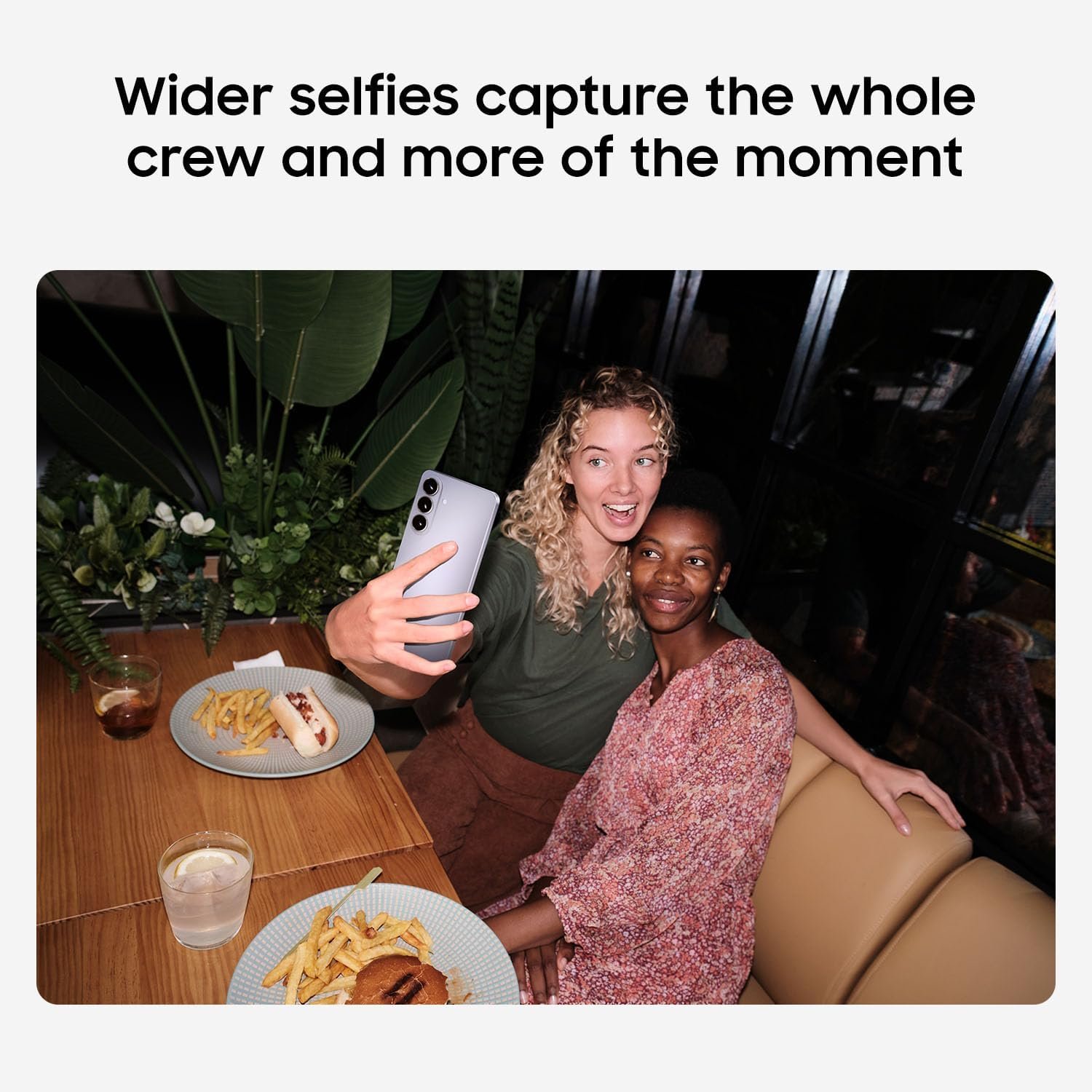
To ensure no details are missed, the immersive display on Galaxy S26 instantly enriches colors. This makes experiences on the screen feel realistic, including taking the perfect selfie. There’s also Wider Selfie Capture to get the right group shot in one go. Thanks to the wider⁵ front camera and lens, you don’t need to stretch all the way back. It also means less retakes.
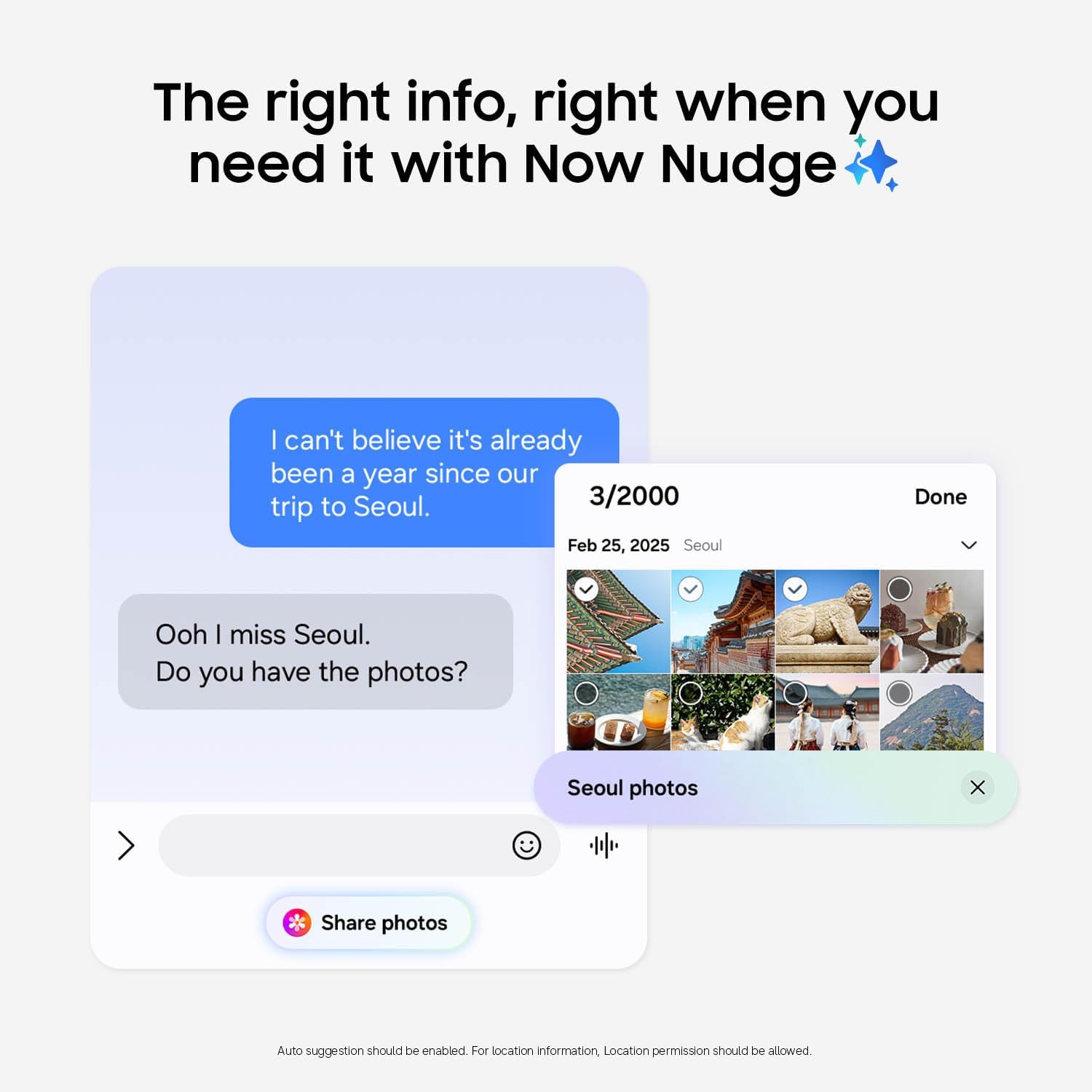
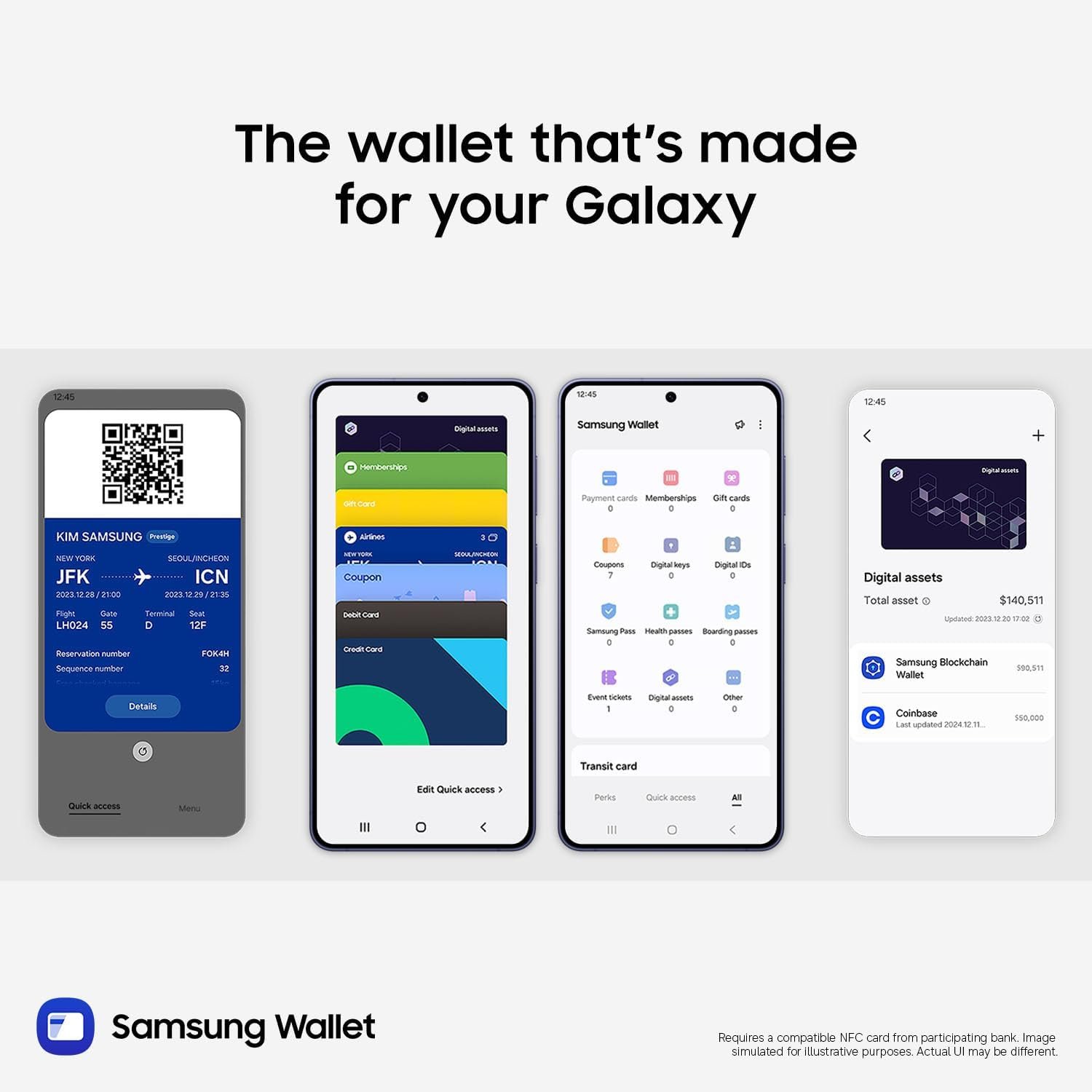
Speeding up daily tasks, Now Nudge with Galaxy AI works behind the scenes to prioritize apps, reminders, and notifications.⁴ You’ll have the most relevant information right when you need it. Further simplifying your life, Samsung Wallet securely stores payment cards⁷, boarding passes⁸, and more. Leave your bulky wallet at home.
To get the most out of your S26, pair with Galaxy Buds4 Pro9 to hear music like never before with Hi-Res Audio.⁶
¹Requires Samsung account login and internet connection. Editing with Photo Assist results in a resized photo up to12MP.
²Galaxy AI basic features provided by Samsung are free. Any Samsung enhanced AI features and all third-party AI features are subject to different terms and may be subject to fees. (Galaxy AI basic features are listed under “Advanced intelligence” in Samsung Services Terms and Conditions.)
³Requires an internet connection / Samsung account login. Edited images may be resized and will have visible AI watermark. The accuracy and reliability of the generated output is not guaranteed.
⁴For location information, Location permission should be allowed.
⁵As compared to S25 Series.
⁶Requires initial setup via settings or Samsung Wear app on a compatible Galaxy/Android smartphone; see Samsung.com for compatibility.
⁷Requires a compatible NFC card from a participating bank.
⁸Specific requirements and limitations apply to each Samsung Wallet feature. See samsung.com Wallet FAQ for more information.
⁹Products sold separately.
**Requires initial setup via settings or Samsung Wear app on a compatible Galaxy smartphone; see Samsung.com for compatibility.
TYPE IT IN. TRANSFORM IT FAST: Enhance any shot in seconds on your smartphone by using Photo Assist¹ with Galaxy AI.² Add objects, restore details, or apply new styles by simply typing or tapping
MAKE IT. EDIT IT. SHARE IT: Turn everyday moments into something personal with creative tools built right into your mobile whether it’s a special contact photo, custom wallpaper, an invitation or more³
FAST. POWERFUL. AI-READY: Power through your day with AI-accelerated performance from our fastest, smoothest and most powerful Galaxy processor yet, built to keep up with everything you do
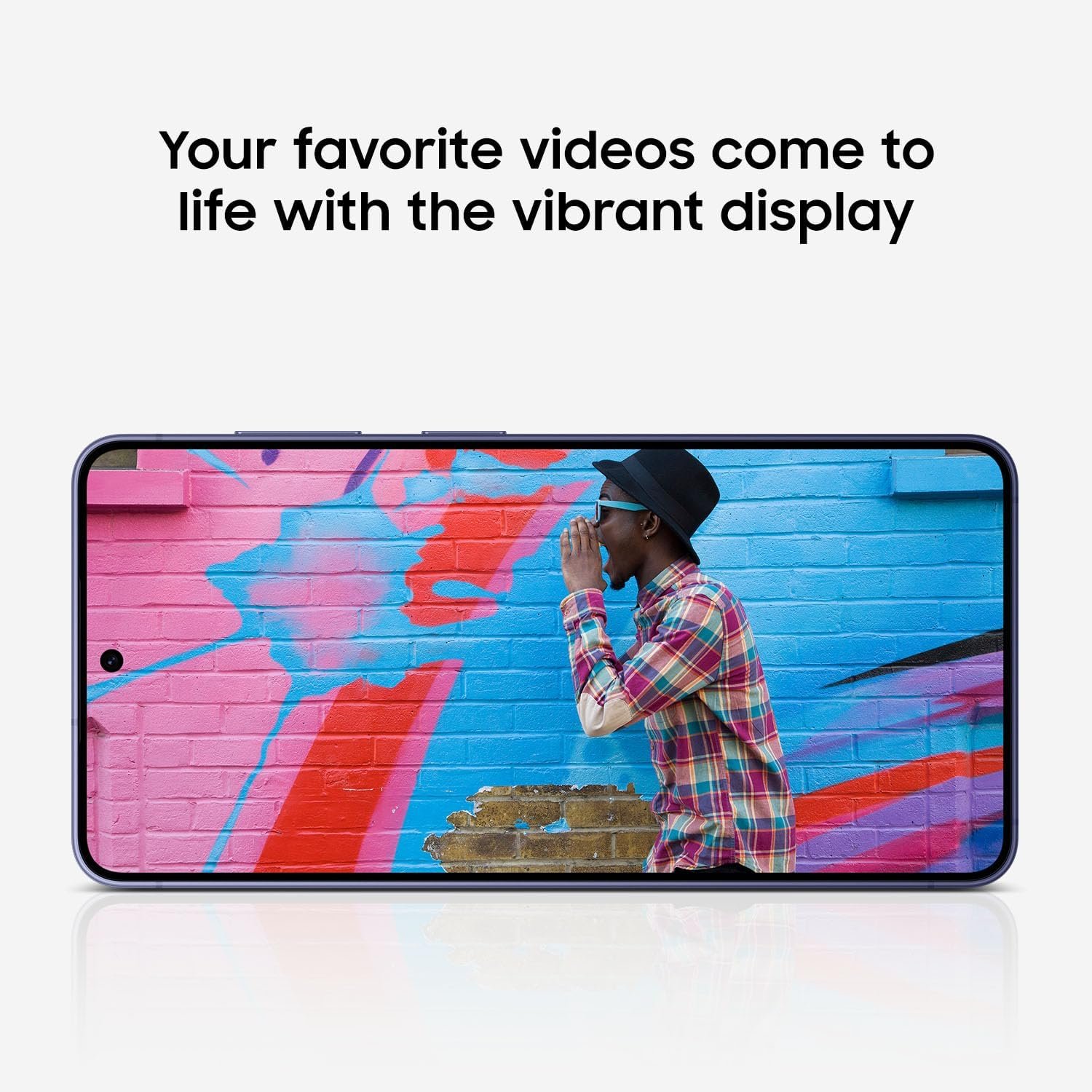
IMMENSELY IMMERSIVE: No matter where you are or what you’re watching, your favorite videos and more come to life with the vibrant display on Galaxy S26
FIT EVERYONE IN THE SHOT: Group selfies are easier on your Samsung phone with a wider front camera⁴ that captures more of the scene, so no one gets left out of the moment
HELP THAT KEEPS UP: Stay in the moment while Now Nudge with Galaxy AI helps you respond faster and stay organized with smart suggestions⁵ that appear exactly when you need them on your phone
PAIR BEAUTIFUL SOUND: From small reverbs to subtle textures, catch new details with Hi-Res Audio⁶ when you pair your smartphone with Galaxy Buds4 Pro
LEAVE THE WALLET BEHIND: Carry essentials like debit and credit cards, membership card and boarding passes digitally and securely on your device with Samsung wallet, so everything you need is always within reach⁷
FROM PHONE TO EAR, TRANSLATIONS YOU CAN HEAR: Hear translations** hands-free through your Galaxy Buds4 Pro, when paired with your Galaxy S26 Series device.
6 reviews for Samsung Galaxy S26, Unlocked Android Smartphone, 256GB, Powerful Processor, Galaxy AI, Immersive Viewing, Durable Battery, 2026, US 1 Year Warranty, Cobalt Violet



space-time –
Wonderful upgrade from the S21 Ultra! Display is good straight-on and up to 30% off-axis.
SUMMARY: BUY IT! I didn’t like any of the newer S series phones enough to buy until this one, plus the Android/OneUI OS updates recently ended for the S21 Ultra.• The S26 Ultra display looks great, better than the S21U, if viewed straight-on and up to maybe 30% off-axis with the privacy display off. I use my phone like this most of the time and have no need for the “privacy” feature, so a win. Farther off-axis though, or with the privacy display “on”, the nicest thing I can say is “it will do the job until the S27 Ultra is released with hopefully Privacy Display V2.0”.• The dithered 8-bit to make 10-bit display (Frame Rate Control tech) looks fine visually. I’ve read that the iPhone 17 also uses the 8 to 10-bit FRC. A true hardware 10 bit or 12 bit display would take more power – Samsung would have to solve their small battery problem first. I’m hoping for a 10-bit to make 12-bit FRC display, with a much higher (than 500Hz) PWM display-dimming frequency to reduce eye strain, and at least a 7000 mAh silicon-carbon battery in the S27 Ultra – all 3 things as in current Oppo phones. :/• The 25W wireless charging works so well that I can see I won’t be using the 60W wired charger (EP-T6010NBEGUS) much. Same 25W rate as my wired S21U charging, but the S26U battery fills faster at 25W for some reason. The wireless charger puck’s magnet ring strongly locks right onto my Otterbox Defender Pro XT case’s (Amazon B0GD2KS743) opposite-pole magnet ring. The Samsung 25W wireless charger kit is labeled “Magnet Wireless Charger | 45W Power Adapter”, a 25W wireless puck AND a 45W charger in the same box (EP-P2900TBEGUS). The puck requires the 45W charger (EP-T4511NBEGUS by itself), it says, even though it puts out just the 25W of charging power. The 15W wireless charging on the S21U was nearly useless (I even threw the pad away) due to no magnet for coil alignment and the lower charging rate. Problem though: no rubber strain relief on either end of the 25W puck’s cable. It won’t last over time, IMHO.• You can simply unplug the 25W wireless charging puck ^^ from the 45W adapter it comes with (USB-C), then use the wired charging cable in the S26U box to get a full 45W charging rate, about 2x as fast (real-world tested) as 25W! 2 charging rates in one box. 🙂 The S26U display shows: “Super fast wireless charging” for 25W from the puck; “Super fast charging” for the S21U’s 25W wired adapter; “Super fast charging 2.0” for 45W wired charging; & “Super fast charging 3.0” for a wired connection with the 60W wall charger. I’m finding the 60W & 45W wired chargers are charging at nearly the same rate if the battery is already mostly full. Seems the 60W rate would only happen (for a while) if the battery is very low. The 25W wireless & 45W wired straight cable S26U charging is really all many people would likely need, unless their battery gets full-cycled (mostly discharged) often, then the 60W would help.• The S26U’s 5000 mAh battery is lasting much longer for a given time period than the same in the S21U, likely thanks to the higher efficiency of the 3nm Snapdragon SoC vs 5nm in the S21U. The charging battery-life-extender “stop %” setting in the S26U is adjustable from 80–100%, vs. fixed at 80% or 100% in the S21U. Mine is set at 85% now. I can go to bed with 85% showing on the S26U, then wake up with 81% – and that is with the two cell carriers running (see below). Awesome. :)• The S26U uses higher 15V and 20V charging voltages than some past phones, such that it only needs 3A vs 5A of current, resulting in less bulky (than 5A) 3A charging cables. S26U 25W (S21U charger) = 2.77A*9V; 45W = 3A*15V; 60W = 3A*20V. Some older phones (S23 Ultra) used 5A*9V = 45W; so their “45W” wall adapter wouldn’t give 45W S26U charging with only 9V & a 3A cable. The Samsung S26U 3A straight cords have nice rubber strain reliefs at the ends (3ft 3A = EP-DA705BBEGWW; 6ft 3A = EP-DX310JBEGUS).• The 45W USB-C port on the Samsung #EP-L5300 car charger works with the S26U 25W wireless puck (EP-P2900BBEGUS, puck w/o adapter) AND straight cable 45W charging (tested!). Plus it has a 15W USB-A port for something else.• App start-up & switching between apps is much faster and smoother on the S26U than the S21U, given the 2X faster performance SoC with better vapor-chamber cooling. App & OS updates go fast! Only having the UFS 4.0 on the S26U vs. the (pre-release rumored) latest 4.1 isn’t making much difference. The 2nm 8 Elite Gen6 Pro SoC expected in the S27 Ultra is slated for UFS 5.0, twice the bandwidth of V4.0, and LPDDR6 memory. Will be a beast. :D• The dual SIM radios in the S26U work well! I’m now running Cricket (AT&T towers) on physical SIM IMEI1 and Spectrum Mobile (Verizon towers) on eSIM IMEI2. The S26U is fully set up for switching the call, messages, and data independently between carriers, sim1 and sim2 in the quick panel. The upper left of the lock screen shows “cricket * Spectrum” for carriers, and the signal strength bar adds a new row of dots underneath to show the signal strength of the other carrier too, plus showing both strength bars when the quick panel is pulled down. If you travel to different parts of town where one carrier’s signal is much weaker, and/or has a “full tower load” signal drop-out, and/or only one carrier has 5G mmWave antennas in an area (“5G+” display), and/or you want to use your data quota on a specific carrier, this is great. Two chances at getting a good connection.• Better weight/size distribution. Only 1 oz less (9 oz vs 10 oz), with cases, than the S21U, but the S26U literally feels 25% lighter, being slightly larger. Kind of a magic trick!• The Wi-Fi 7 works well as does the 6 GHz band. In my TP Link BE 550 Pro router/AP (from Amazon! B0DM6RF34J) I had to change the 6 GHz bandwidth from the default 160 MHz to “mixed 160/320 MHz” (or just 320 MHz) to have that band show as Wi-Fi 7 on the S26U vs Wi-Fi 6E (symbols for both on the display). I recently read that iPhones don’t even have a 320 MHz bandwidth option on 6 GHz, so those users are apparently left with 6E on 6 GHz.• The S26U Wi-Fi switches between SSIDs VERY well, automatically, based on signal strength, when walking around a spread-out house with different wired Wi-Fi AP’s, as is my case. The S21U usually didn’t, requiring frequent manual SSID changes walking around. I’ve noticed the S26U even turns the Wi-Fi back on when I get home (SSID recognition), after I’ve turned it off while gone in the car.• The “3D” fingerprint reader on the S26U works very well! Nearly every time. That is without even turning on the new “improve accuracy” additional 10x scan option, too. The “0D” (lol) fingerprint reader on the S21U was useless, at least with my worn and scarred fingerprint. I gave up early-on with the S21U reader and used PIN codes ever since. The “Samsung Pass” app is usable now with its required fingerprint bio-ID.• I’ve shot some 4K and 8K video and it looks fantastic! Samsung’s new APV encoding standard, a modern competitor to the older Apple Pro Res, is good with claimed 10% better storage efficiency. The phone will record 4:2:2 internally, supports Log recording, and can record to external SSD storage on USB via the port. 4K60fps APV 422HQ generates 12GB/min; 422LQ = 6GB/min. Hoping for a full 1″ camera sensor on the S27U! I love the natural “true/accurate” colors with the S26U cam vs. the processed “happy bright” colors of past Samsung phone cams. The S25 Ultra doesn’t have APV, or the amazing new video Horizon Lock feature, so right there along with true color are 3 good reasons to get the S26U if you are a video fan.• The low light camera ability of the f/1.4 wider-aperture S26U main cam (vs. S25U’s f/1.7) is also fantastic. I wind up with a *lot* of low light situations where I need to take photos. Couldn’t do it with the S21U most of the time. I would have to use my large Lumix GH7 & GH5 MFT cameras with a fast lens.• The camera lenses do stick out in the back though, unlike the S21U where they were flat (and recessed with the S21U Otterbox Defender case). The S26U Otterbox Pro XT case mitigates that to some extent by having a plastic ring around the lens area that is slightly taller to help keep the lens from scraping on things when the phone is set down on its back. Lens protectors are a good idea (Amazon B0G7STMFKY).• The speakers/audio on the S26U can go a bit louder (and clearer) than the S21U, which was needed. Hopefully the S27U will support 32-bit float audio recording, like the Lumix GH7 cam and iPhone 17 Pro Max support, for zero concern over recording levels! Samsung really needs to update their new APV codec to support 32-bit float audio, like Pro Res can – this is a big Samsung omission, IMHO. :/• The Bluetooth V6.0 in the S26U works better (stable, less lag, faster connect) than the S21U BT V5.2 with my car entertainment link (Lexus RX350) and PreSonus Eris 4.5BT desktop speakers. Unfortunately the S26U’s SoC chip doesn’t support the latest low-latency (Nov 2025) BT V6.2. I’m hoping for that and a 10 Gbps USB 3.2 gen 2 port in the S27 Ultra like the iPhone17 has (S26U only has 5 Gbps gen 1 USB port).• The S26U adds Google Messaging via satellite connection to the emergency SOS satellite feature in the S25U, both only operational when no cell or Wi-Fi service exists. Spectrum Mobile does have satellite service via Skylo that comes included with the plans. I haven’t been able to test since I always have cell & Wi-Fi around here. 🙁 T-Mobile apparently offers S26U satellite via Starlink. The S26U allows up to 5 additional eSIMs to be stored & swapped out with the 2 active SIMs as needed. Future satellite-only monthly add-on plans (Starlink?) could be added as a (stored) eSIM 2.• The Samsung Smart Switch transfer app – the default that comes up when you power up the S26U – from the S21U took about 45 minutes to transfer 72GB of apps and data using the cable in the S26U box. The S26U had 69% battery out of the box, then the 45 transfer took it down to 55%. Keep in mind the SSS app completely re-installs the phone’s apps from Google Play & Samsung Store, not just copying them over, then re-loads their data. Works extremely well! ZERO problem with the transfer, but of course passwords have to be re-entered everywhere. Any discontinued apps (I had one) or side-loaded apps have to be handled later, manually.• Can’t comment about the AI/Bixby and stylus. I don’t use either, maybe in the future. The S26U has a 40% faster NPU than the S25U, if you do use the phone’s AI. Remember that Claude & ChatGPT do all their computes in the cloud, at data centers. They don’t use a phone’s (or PC’s) NPU at all (at least currently).• And *great work* Amazon in getting the pre-ordered phone to me right on the promised March 11 release date! This review updated 4/4/26.
JT Gutting –
Ahhh it’s good to be back!
Absolutely above my expectations!I was using iPhones the past 3 years. Not because I wanted to, but because I wanted to make things easier for my wife and her family. But after swapping back to the S26 Ultra I realize how much I’ve missed Android and Samsung. The amount of customization, not just looks, but functionality, is something that I love about Samsung. From the color reproduction, resolution to extend battery life, privacy screen enable per app or notifications, instead of a Dynamic Island everything lives at the top bar and might not function the same way but it’s close enough. And the Good Lock app alone makes takes the whole experience to a new level.The phone feels amazing in hand and feels like it is high quality. And durability is the same across the board. Don’t drop it and you will be fine. I paired mine with a MagBak case, which comes with a great screen protector.I think it is well worth the asking price and love how well Android integrates with windows. I also have a Samsung tablet and swapping between the two is seamless.Just not enough good things to say. For any iPhone users, simply take the time to learn the operating system and adapt your muscle memory and it will be fine. RCS chat makes sending high quality photos and videos simple, and Google Meet is a universal video calling app that makes it simple for everyone. FaceTime is fine, but other apps do video calling better. Just stop being stubborn and enjoy what else can be had.Anyway, hope this helps 🙂 it’s a great device!
Emmanuel Chirchir –
Samsung Galaxy S26 Ultra Review: Fast, Customizable, and Powerful
The customization is great you can change the layout, icons, and widgets easily. The camera takes clear and sharp pictures, even at night. It’s very fast, smooth for multitasking, and the fast charging is really helpful. Overall, it’s a very good phone. Im happy with my purchase
JL –
Great phone, small size
Have had the phone a couple weeks and so far seems to be fast. Screen is very crisp. I don’t think I quite realized how much smaller this was going to be compared to my S20. Fits easier in a small purse or pocket, but has taken some time to adjust to a smaller keyboard to text and type, and I need to get my reading glasses out more frequently. Still not worth it to me for the several hundred dollars more for the larger one. Hopefully will get used to this smaller size quickly. I worry that I may regret not getting more memory but we’ll see…
Darrell Blankenship –
Great phone
Best Samsung Galaxy yet. With the new Android 16 makes the phone easy to use. Battery charges fast, and is long lasting. Taking picture is great with the AI editing software. Display is great ,sharp crisp picture, and video. Only issue, the bottom camera lense is in the way if you attach a mag safe wallet.
Randy Greene –
Very good
Coming from a note 20 ultra (2020). Here are the cons. It’s somehow thicker and heavier than the note 20 I think. I’m a little uncomfortable with how far the camera sticks out from the body. I miss my micro SD slot! Annoyingly, the S pen only fits back the right way. Palm slide screen captures doesn’t work as well – screen is too sensitive to touch now and scrolls.All of that aside, it’s a great phone. It’s fast, has Ai features I still don’t know about. Camera is amazing and so is the screen. No other complaints.